Taking your CRM Beyond the Sale
Why growing businesses need one customer record that follows the client beyond the sale
3
min read
Practical guides
Basics

Photo by Jakub Zerdzicki on Pexels, free under the Pexels License
A customer database, a sales pipeline and CRM marketing describe different parts of the same story. An enquiry leads to a quote, an order and a delivery, sometimes followed by years of service and repeat purchases.
For example, a customer accepts a quote for equipment and sales marks the deal as won. Work on the order continues as colleagues check payment, prepare the equipment and agree on delivery.
How a contact list becomes a customer history
A contact list can live in Google Sheets. When one person looks after a few customers, a spreadsheet may be enough because that person remembers the agreements and knows when to follow up.
As colleagues become involved, customer knowledge spreads across the company. Sales knows the discount, the warehouse knows the stock, and purchasing has the supplier’s reply, so answering a customer’s call means bringing those details together.
Connecting the records gives colleagues a shared customer history. Someone answering the phone can find the quote, check the order and continue the conversation without asking the buyer to explain the agreement again.
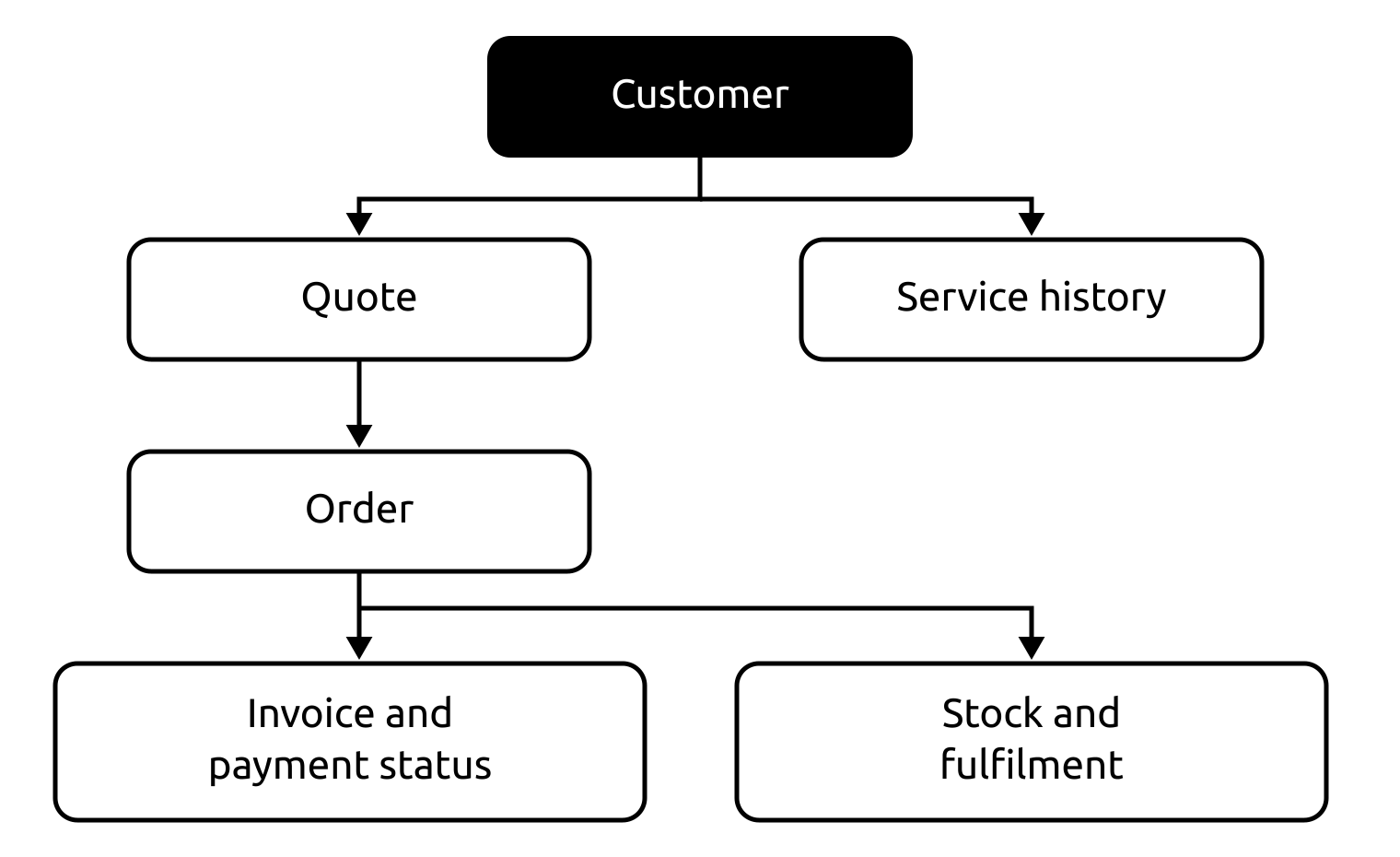
One customer record connects the work of several people.
Why marketing needs the same history
After delivery, a customer may return for supplies, a repair or another machine. Their current situation shapes the next offer, so marketing needs to know what happened after the purchase.
Suppose two customers bought the same equipment: one plans to expand, while the other is waiting for a repair. They need different conversations, even though their purchase history puts them in the same mailing group.
That is the purpose of CRM marketing: customer data helps the team choose when and what to say. Email carries the message, while the customer history helps people judge whether the offer is appropriate.
A shared history helps marketing, sales and service coordinate their work. Before suggesting another purchase, the account manager can check whether the previous issue was resolved and build the conversation around that answer.

Purchase history, open orders and service requests help the team choose the next conversation.
What the owner can see
Coming back to the order, the supplier may need payment before the customer pays the balance. Payment timing affects the money available, while the agreed discount affects the order margin.
Connecting the order to its cost and payments gives the owner a view of the financial result. It becomes easier to assess a discount and see how a supplier purchase affects upcoming payments.
A smart system connects information, performs calculations and flags problems using configured rules. This helps the team notice when something needs attention while there is still time to change what happens next.
That picture is useful when records stay current as the work progresses. Once the team can see that a payment arrived, colleagues can move forward without asking someone to confirm it again.
Why this is becoming a necessity
We believe smart tools such as PowERP are becoming essential for small and medium-sized businesses to stay competitive. Bringing customer and operational data together helps teams respond promptly to a late payment, an order problem or a new enquiry.
The alternative is to keep everything in the owner’s head or hire more people to hold that knowledge. Answers then depend on reaching the right person, with more conversations needed as the business grows.
A shared system helps colleagues respond faster without waiting for the owner. While one business checks what was promised, a competitor may already be offering a solution. That is why we believe the era of CRM as a separate address book is over for these businesses.
PowERP brings CRM into an operational ERP, ready to use after guided setup without a separate implementation project. In the Clients screen, documents and activity help you understand the customer’s history and next step; accounting stays in your existing software.